06Balloons, loading and fuel
Add a Kubicek balloon
Create a balloon record and select the correct envelope and fuel setup.
Exact fields vary by balloon, app mode and version. Use the data that applies to the actual aircraft.
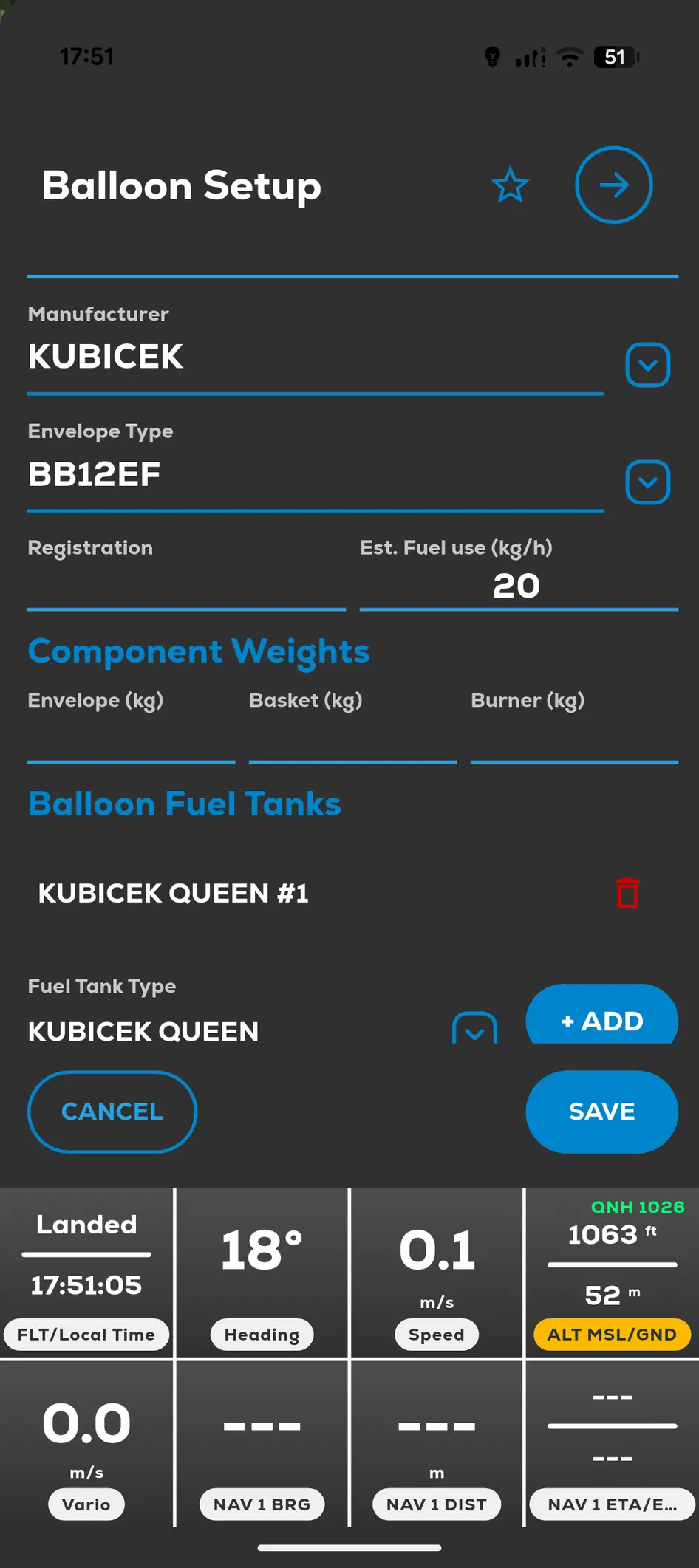 FlyMate Balloon Setup with envelope data and fuel tank configuration
- 01
Open Menu and My Balloons.
- 02
Tap Add or +.
- 03
Select Kubicek and the correct envelope or type.
- 04
Enter the requested balloon and fuel-tank details.
- 05
Save and review the record.
Balloons, loading and fuel
Configure the actual balloon and tanks before using calculated flight tools.
