
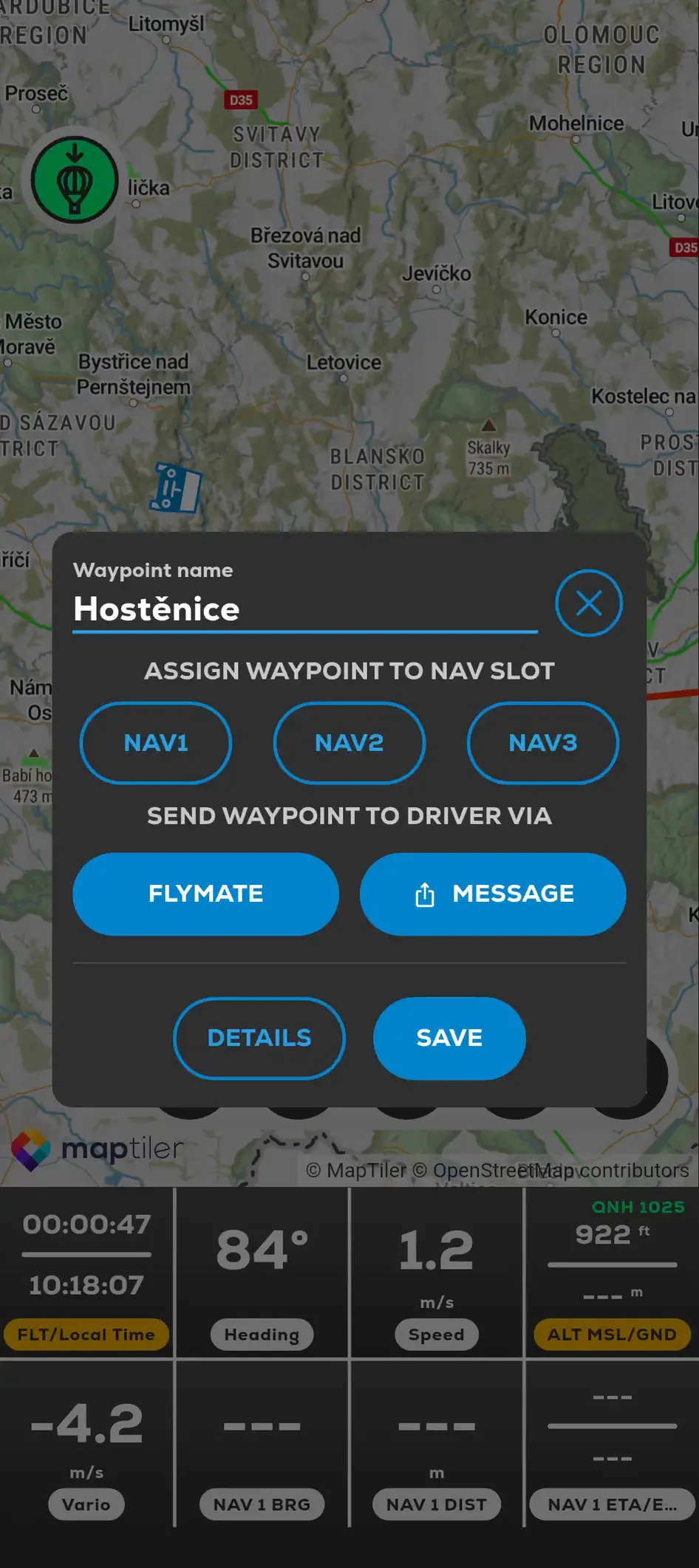
The in-app FlyMate option sends the target to the connected Driver during the active sharing workflow. The Driver can switch between following the balloon and viewing the pilot's target.
A shared waypoint is a location reference, not proof of road access, landing permission or route suitability.
- 01
Connect the pilot and Driver in Friend's Location before the flight.
- 02
Create a waypoint on the map or open a saved waypoint.
- 03
In the waypoint panel, find SEND WAYPOINT TO DRIVER VIA.
- 04
Tap FLYMATE to send it to the connected Driver, or MESSAGE to use the device sharing menu.
- 05
Wait for the Waypoint sent to driver confirmation.
- 06
On the Driver device, confirm the Driver target received from the pilot message and select Pilot's Target when needed.