
Chapters and articles
09Gas Pilot and QNH

Set up a gas balloon

Select Gas Pilot mode and create an envelope with the correct volume.

Envelope volume is required for supported Gas Pilot calculations. If the envelope does not appear in My Balloons, confirm it was saved and that Gas Pilot mode is still selected.
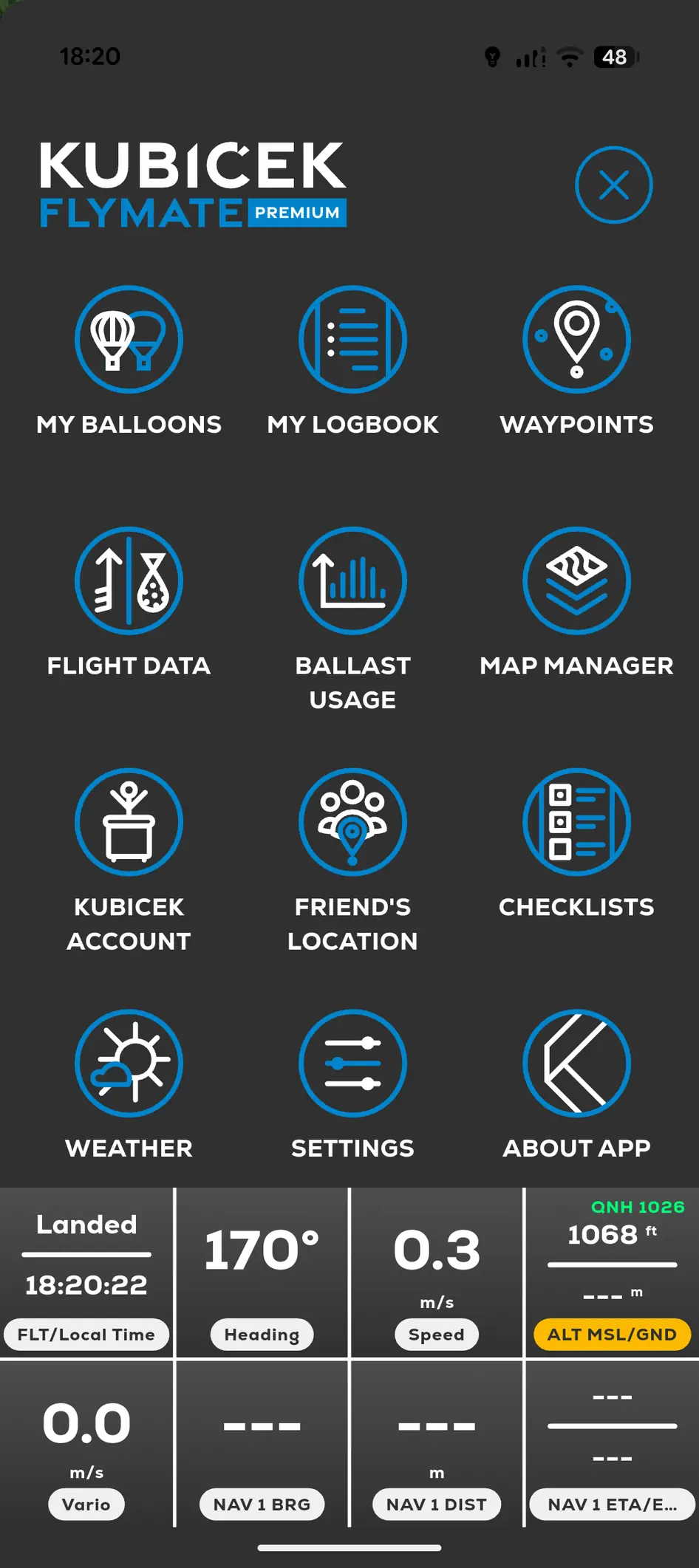
FlyMate Gas Pilot menu with Ballast Usage and gas-flight tools
  1. 01

    Open Menu, Kubicek Account and App Mode.

  2. 02

    Select GAS PILOT.

  3. 03

    Open Settings and Envelope Types.

  4. 04

    Add the gas envelope and enter its volume.

  5. 05

    Save, then open My Balloons and add the new balloon.

In this chapter

Gas Pilot and QNH

Set up a gas balloon, record ballast changes and use pressure-derived altitude on compatible devices.

Start a Gas Pilot flightRecord a sandbag releaseBallast Management displaySunrise and sunset indicator