
The main flight screen combines the map with quick controls and live values such as time, heading, speed, altitude and vertical speed. Additional fields can show navigation bearing, distance and estimated time.
Exact placement depends on device shape, orientation, platform, selected app mode and app version.
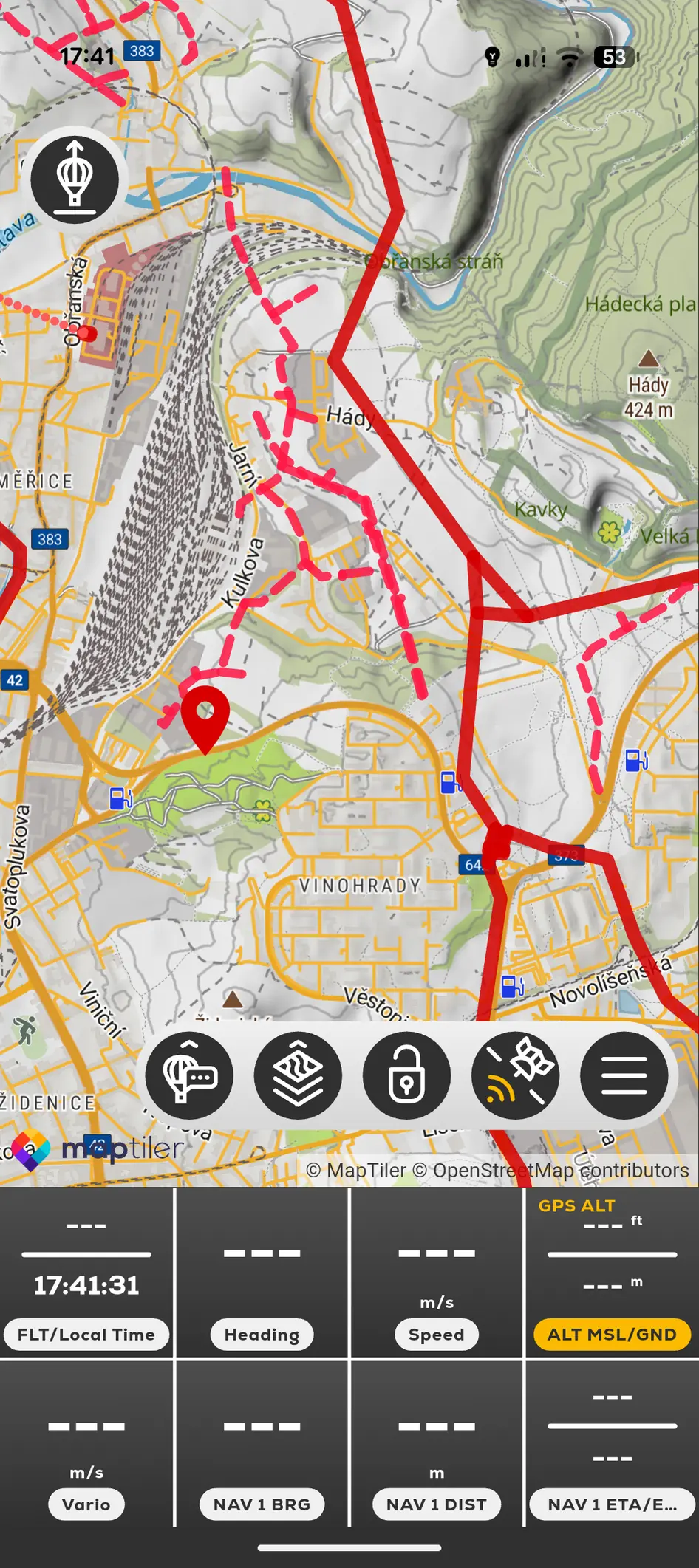
- Map tools appear over the map.
- The instrument strip stays visible at the lower edge.
- Premium overlays appear only when entitlement and data are available.
- A named remote-data panel belongs to the named tracked user.