
Pressure Sensor Altimeter is included in Free and Premium. QNH and pressure-derived altitude require a compatible device with a usable pressure sensor.
GPS altitude and pressure-derived altitude are different measurements and can differ. In supported screens, QNH Settings provides the current value, pressure unit, adjustment controls and a Standard setting.
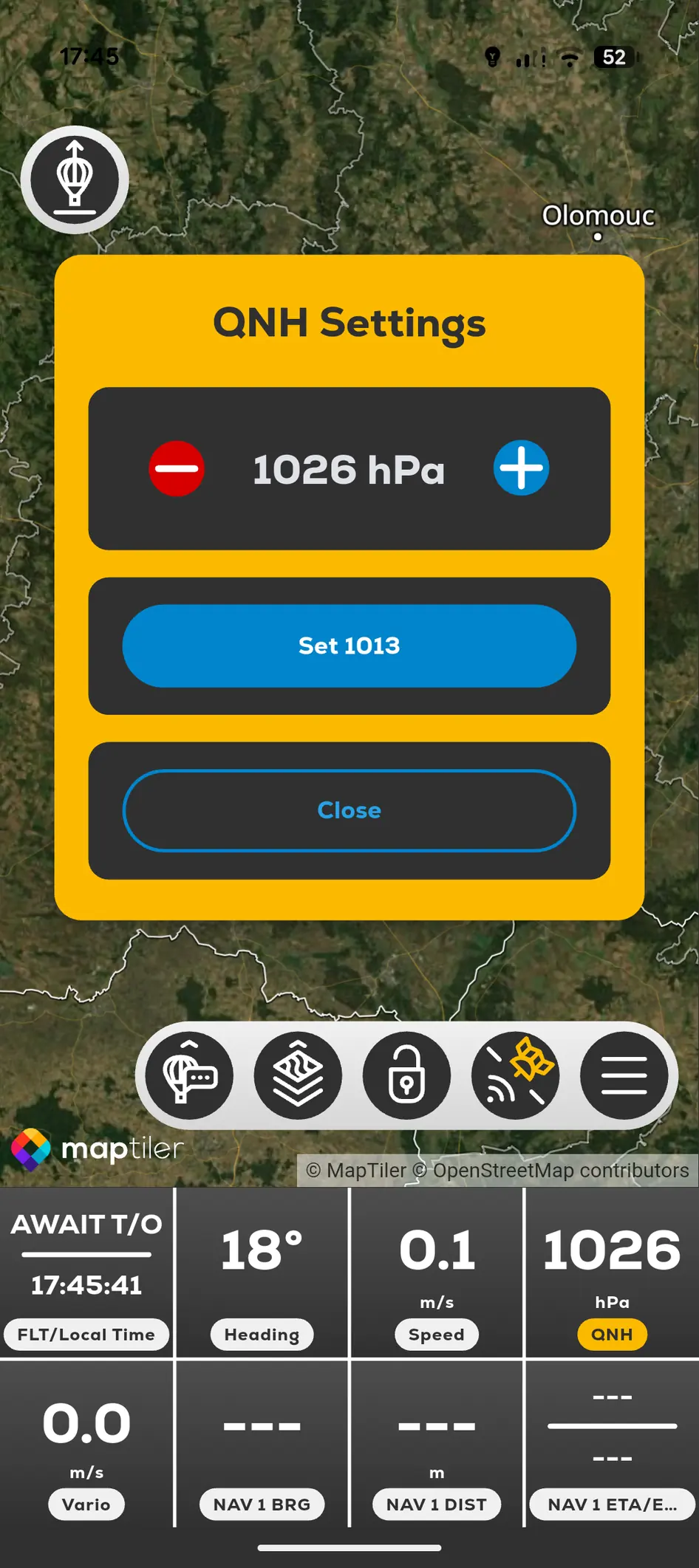
- 01
Open the altitude or QNH control offered by the current flight screen.
- 02
Confirm the pressure unit.
- 03
Adjust QNH using the visible controls or choose Standard when appropriate.
- 04
Close the panel and verify the altitude display.
- 05
Compare with current official pressure information and required procedures.